Ready for iPhone Duo

Moment helps you build a healthier relationship with your phone: block distracting apps, scroll less, and notice how your screen time feels. The next update will make it at home on iPhone Duo.

  • iPhone · iPad · Mac · Apple Watch · Apple Vision Pro · iMessage App
  • 22 languages
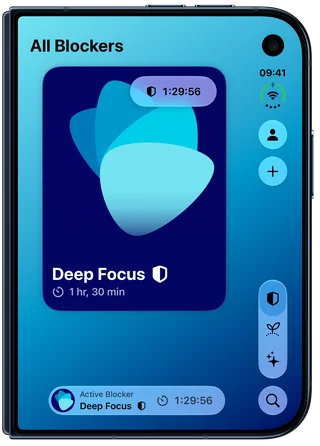
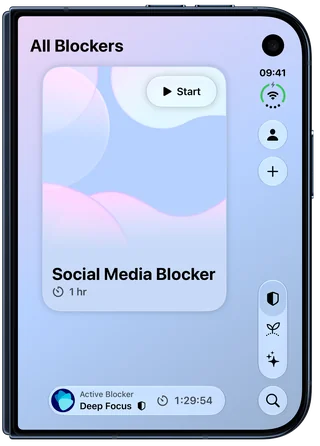
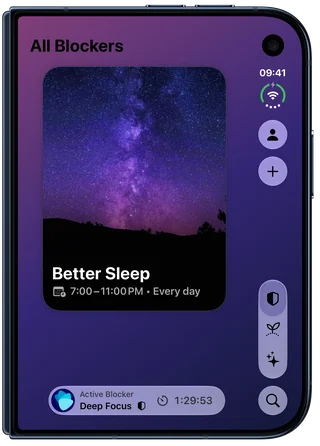
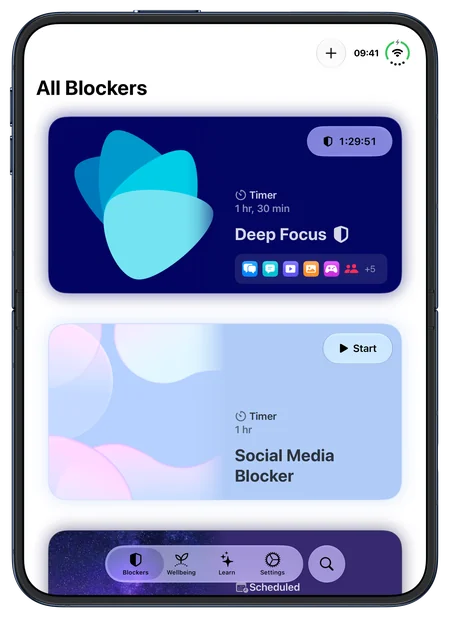
Moment on iPhone Duo, closed: the Deep Focus blocker card with its timer at 1:29:56, and Deep Focus in the Active Blocker accessory Moment on iPhone Duo, closed: the Social Media Blocker card, a one-hour timer with its Start button Moment on iPhone Duo, closed: the Better Sleep card, scheduled from 7:00 to 11:00 PM every day
Closed: a card for each blocker, the running one in the Active Blocker accessory. A Timer blocker starts right from its card.
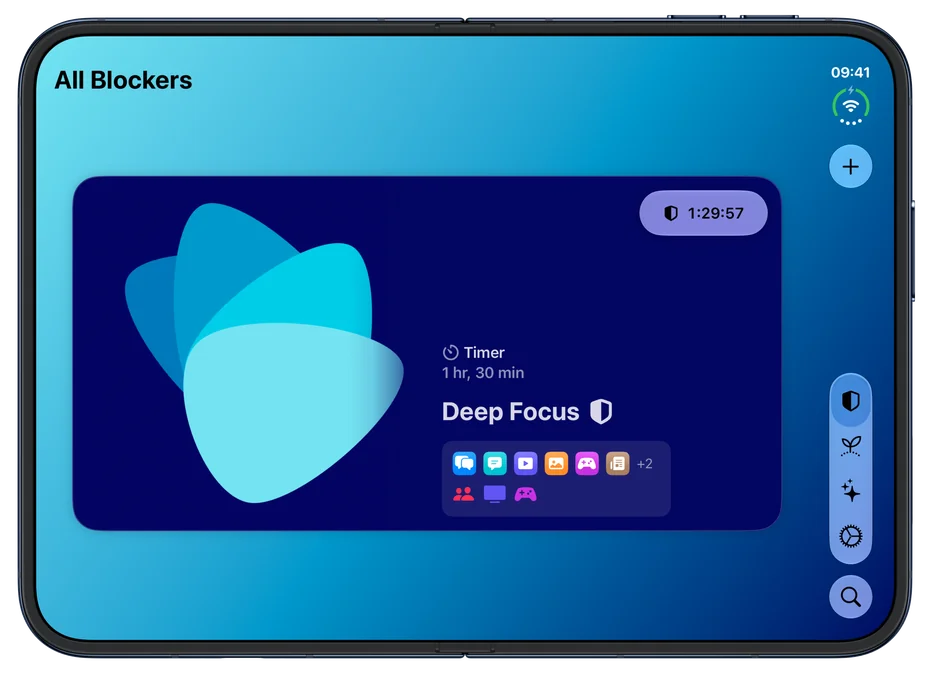
Moment on iPhone Duo, open: Deep Focus as a wide card, its photo on one side and, on the other, Timer · 1 hr, 30 min, its name and the icons of the apps and categories it blocks
Open, each blocker becomes a wide card: its photo beside its timer or schedule and the apps it blocks.
Moment on iPhone Duo, open and held tall: the blockers stacked in a list, Deep Focus on top with its timer running, each card glowing in its own colors
Held tall, the wide cards stack in a list, one card per swipe.

Built for Both Displays

Open or Closed

  • Closed, every blocker keeps its card; the running one sits in the Active Blocker accessory
  • Held tall, the wide cards stack in a list, one card per swipe
  • Onboarding fills the whole display, closed or open

Bars and Sheets

  • The tab bar and toolbars follow the system's layout on iPhone Duo
  • On the closed display, single-button screens keep their button in a bar along the top
  • Tip titles and onboarding pages stay clear of the side bar

For Every Reader

  • At the largest text sizes, tips and the Wellbeing tab return to one column
  • With Reduce Motion on, the columns and the wide cards meet the fold without animation
  • Arabic reads correctly on both displays, and Moment speaks 22 languages

Tips Open Like a Book

Open iPhone Duo wide and a tip will fill both pages; partially folded like a book, the pages will meet at the fold.

Moment on iPhone Duo, partially folded like a book: the tip Protect Your Sleep, its illustration on the left page and its text on the right
Partially folded like a book, the two pages meet at the fold.
Moment on iPhone Duo, open: the tip Practice Mindful Unlocking across two pages, its illustration on the left page and its text on the right, Done at the top right
Open and held wide, a tip fills both pages: the illustration on one, the words on the other.

Check In Beside Your Week

Held wide, Check In will sit beside This Week and the Screen Time Happiness chart, a part of Moment Pro.
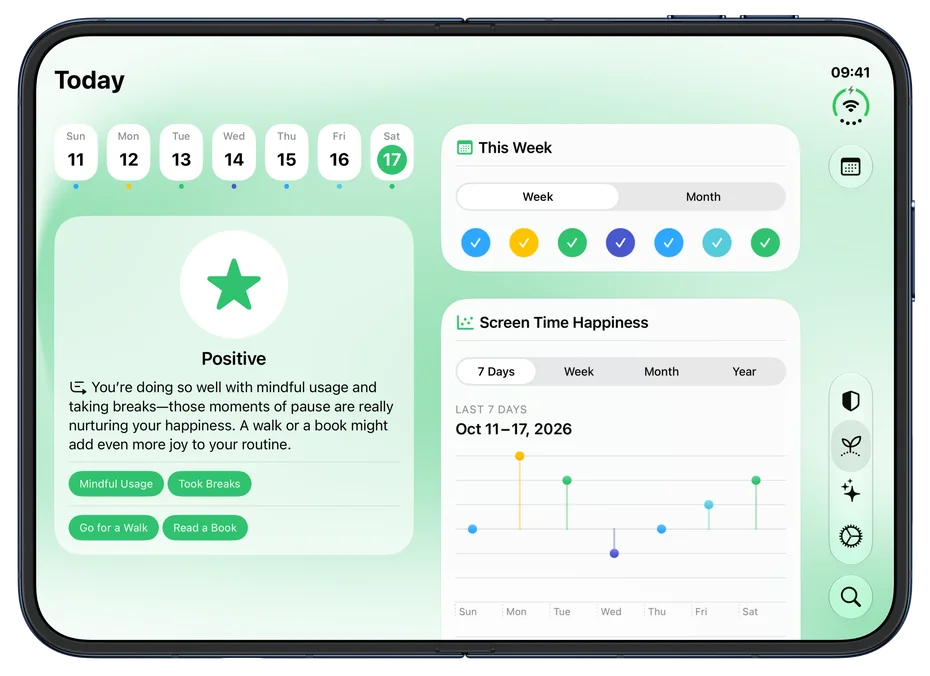
Moment on iPhone Duo, open: the Wellbeing tab with the week strip and today's Positive check-in, its insight and the reasons and offline alternatives picked for it, on the left, and This Week and the Screen Time Happiness chart on the right
Open and held wide, Check In sits beside This Week and the Screen Time Happiness chart, which is part of Moment Pro.

The New Learn Tab

Every tip in one place, longer and fuller than before, each with its own custom-made illustration.

Moment's Learn tab on iPhone: Ask Moment at the top, the Tip of the Day, Practice Mindful Unlocking, below it, then the Featured tips The tip Practice Mindful Unlocking on iPhone: its illustration across the top, the title and summary on a band in its colors, and the text below The tip Protect Your Sleep on iPhone: its illustration across the top, the title and summary on a band in its colors, and the text below Ask Moment on iPhone before the first message: "What's on Your Mind?", five starting points to pick from, and the note that messages stay on the device
The Learn tab: Ask Moment on devices with Apple Intelligence, then the Tip of the Day, the Featured tips and all the others. Every tip has its own illustration, and two more inside its text. Ask Moment offers a few starting points to pick from; your messages stay on your device and aren't saved.

Ask Moment

A conversation about your screen time, focus and scrolling habits, on your device with Apple Intelligence.

Learn

  • Every tip in one place: the Tip of the Day, five Featured tips, the rest below
  • 31 tips, longer and fuller than before, each opening full screen on iPhone and iPad
  • Some end with Add Blocker, which sets up a blocker for the tip: name, picture, schedule or timer

Ask Moment

  • A conversation about your screen time, focus and scrolling habits; in Search, answers from the tips
  • Suggests tips that fit, can open a blocker it names, and offers to log your happiness
  • Messages stay on your device and aren't saved; answers can be off sometimes; needs Apple Intelligence

New Illustrations

  • Every tip has its own custom-made illustration, and two more inside its text
  • The tip's page takes its colors from the picture

Illustration from the tip Create a Morning Routine: a woman sipping from a cup at a table, sunrise outside the window Illustration from the tip Enjoy Device-Free Meals: a woman and a man talking over a meal at a round table Illustration from the tip Reduce Screen Time With Friends: two friends playing table tennis outside, trees and houses behind them Illustration from the tip Replace Scrolling with Reading: a woman reading a book on a train, fields and hills outside Illustration from the tip Set Screen Time Goals: a hiker climbing stone steps up a grassy hill toward a red flag Illustration from the tip Use Grayscale Mode: a man walking a path through a landscape partly in grayscale, partly in color Illustration from the tip Conduct Weekly Reviews: a man measuring a tall sunflower against a marked wooden stake Illustration from the tip Create Phone-Free Zones: a man standing in the sea, a towel, book and sandals on the sand
A few of the illustrations in the Learn tab.

Made by Humans

Hi, we're Jan and Kerstin! We're a two-person team — a married couple in Tübingen, Germany — building our own Apple apps for more than 13 years. We wanted a screen time app that's a joy to look at and easy enough that our kids could set it up.

Join the Beta on TestFlight

Download All Assets ↓

Every screenshot on this page at full resolution, in one archive — 49 MB.

hello@meaningful-things.com · Press